


Media centers are often the focal point of a living room, but they can quickly become cluttered. Devices such as TVs, gaming consoles, streaming boxes, and speakers all require space and cable connections. Without proper organization, wires and equipment can create a messy and difficult-to-manage area.
A well-designed media center does more than hold a television. It organizes devices, hides cables, and creates a clean layout that is easy to use. When everything has a designated place, the space becomes more functional and visually balanced.
In this article, we explore media center storage ideas that help reduce clutter, improve organization, and create a more efficient setup for everyday use.
Designing a Media Center Around How You Use It
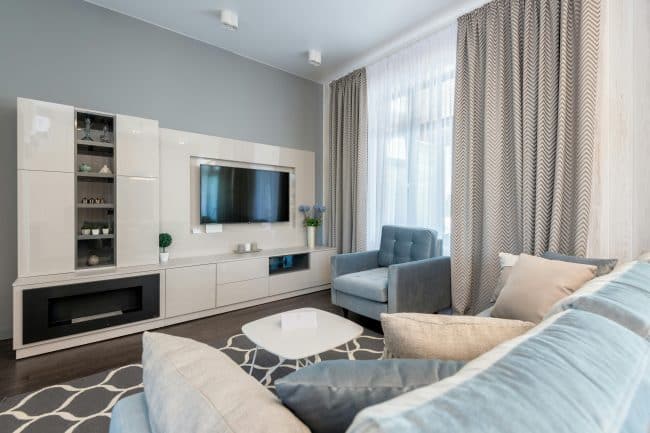
A media center should be planned based on how the space is used daily. Watching TV, gaming, and streaming all require different devices and storage needs.
Organizing Devices by Function
Grouping devices based on how they are used helps create a more structured setup. For example, gaming consoles can be placed together, while streaming devices and cable boxes can be grouped in another section. This arrangement makes it easier to access and manage each device. It also helps prevent overcrowding in one area. When devices are organized by function, the entire system becomes easier to use.
Keeping Frequently Used Items Accessible
Remote controls, gaming accessories, and frequently used devices should be easy to reach. Placing these items in accessible locations helps reduce frustration during daily use. Less frequently used items can be stored in cabinets or higher shelves. This keeps the main area clear while still providing storage. A balanced layout improves both accessibility and organization.
Storage Solutions That Keep the Space Organized
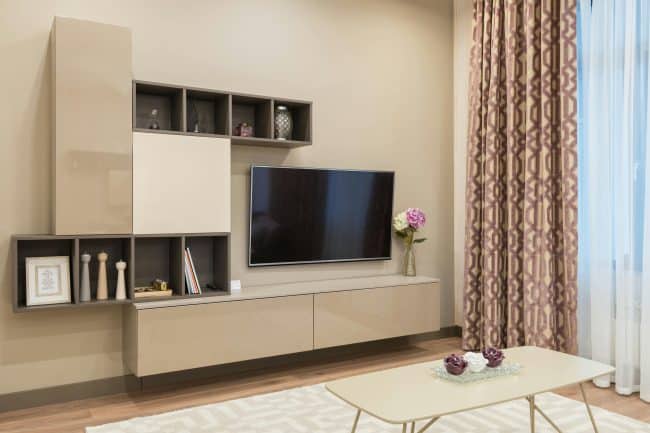
Storage plays a key role in maintaining a clean media center. Without proper storage, devices and accessories can quickly create clutter.
Cabinets for Concealed Storage
Cabinets are useful for hiding devices and reducing visible clutter. Closed storage keeps wires, equipment, and accessories out of sight while maintaining a clean appearance. Cabinets can also protect devices from dust and damage. This makes them a practical addition to any media center design. Using cabinets helps create a more streamlined and organized look.
Open Shelving for Easy Access
Open shelving provides quick access to frequently used devices. It allows for proper ventilation, which is important for electronics that generate heat. Shelves can be used to store gaming consoles, media players, or decorative items. Keeping these items organized helps maintain a balanced layout. Combining open and closed storage creates a flexible and functional system.
Managing Cable Clutter Effectively
Cables are one of the main causes of clutter in media centers. Without proper management, they can become tangled and difficult to organize.
Built-In Cable Management Systems
Custom media centers often include built-in cable management features. These systems allow wires to be routed behind panels or through designated channels. This keeps cables hidden and prevents them from becoming tangled. It also makes it easier to maintain a clean appearance over time. Proper cable management improves both functionality and aesthetics.
Planning for Device Connections
Each device requires power and connectivity. Planning where cables will run before setting up the system helps avoid clutter later. Positioning outlets and cable access points in the right locations ensures that wires can be managed efficiently. This reduces the need for visible extensions or adapters. A planned setup makes the media center easier to maintain.
Design Elements That Improve Media Center Functionality
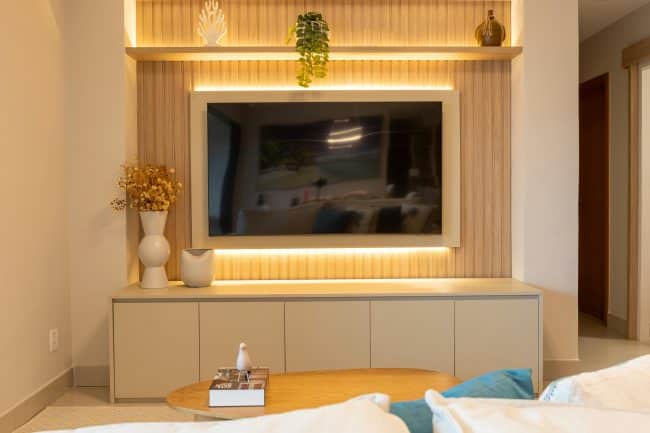
In addition to storage and layout, design details can improve how the media center looks and works.
Lighting for Better Viewing Experience
Lighting plays an important role in how the media center feels. Soft lighting around the unit can reduce glare and create a more comfortable viewing environment. Integrated lighting can also highlight shelves or design features without being distracting. Balanced lighting improves both function and atmosphere.
Materials and Finishes for a Clean Look
The materials used in a media center affect both durability and appearance. Smooth, durable finishes help maintain the unit over time. Consistent materials create a clean and organized look. Neutral tones can help the media center blend with the rest of the room. A well-designed finish enhances the overall space. Get an instant quote now!
Custom Media Center Solutions for DMV Homes
Homes across Washington D.C., Maryland, Virginia, and West Virginia vary in layout and size. Some living rooms have limited wall space, while others require larger built-in units. Custom media center systems allow homeowners to design storage that fits their specific space. Closet & Beyond uses personalized 3D design tools to help visualize layouts and storage features before installation.
As we serve Washington D.C., Maryland, Virginia and West Virginia, you can find our showrooms in the following locations:
Visiting a showroom allows homeowners to explore different media center designs, materials, and storage options.
Conclusion
A media center should be organized, functional, and easy to use. Without proper storage and layout planning, cables and devices can quickly create clutter. By focusing on smart storage, cable management, and practical design details, homeowners can create a media center that supports daily use while maintaining a clean appearance.
If you are planning to upgrade your living space, a custom media center can help you create a setup that fits your home and keeps everything organized. Consider scheduling a consultation to explore design options. Book a free consultation now!
Frequently Asked Questions (FAQs)
What is a media center storage system?
A media center storage system is a built-in unit designed to organize TVs, devices, and accessories. It often includes shelves, cabinets, and cable management features.
How can I hide cables in a media center?
Cables can be hidden using built-in cable management systems, wall channels, or concealed compartments. This helps maintain a clean and organized setup.
Is open shelving good for media centers?
Open shelving is useful for devices that need ventilation. It allows easy access while preventing overheating.
Can a media center be customized?
Yes, custom media centers are designed to fit specific room layouts and storage needs. This allows for better organization and functionality.
What materials are best for media centers?
Durable and easy-to-clean materials are ideal. These materials help maintain the appearance and function of the unit over time.